Here are some frequently asked questions about the upcoming library system migration. Kuopio City Library is changing its library system between 20 October and 3 November. During the migration period, all library services will be completely unavailable.
Frequently asked questions:
Can I access the library during self-service hours?
No. Self-service libraries will also be closed, and self-service access is unavailable during the migration period. All libraries are completely closed between 20 October and 3 November. Self-service access will also be unavailable from 4 to 8 November.
Can I return my books?
No. During the system migration, it is not possible to return books or any other library materials. This is because the library system used for processing returns is unavailable during the migration. Return boxes will also be out of service.
What happens to my reservations?
All active reservations will be transferred to the new library system.
What happens to my saved items lists?
All saved items lists will be retained. Please note that after the system migration, existing saved items lists will display bibliographic information only and no longer show item availability. This is because the connection to the old library system will be discontinued during the migration. Availability information for saved items lists can be updated once the new library system is in use.
What happens to my loan history?
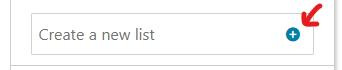
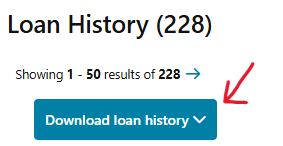
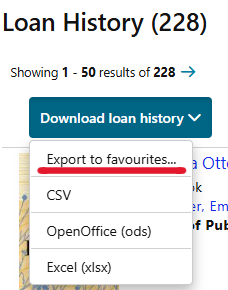
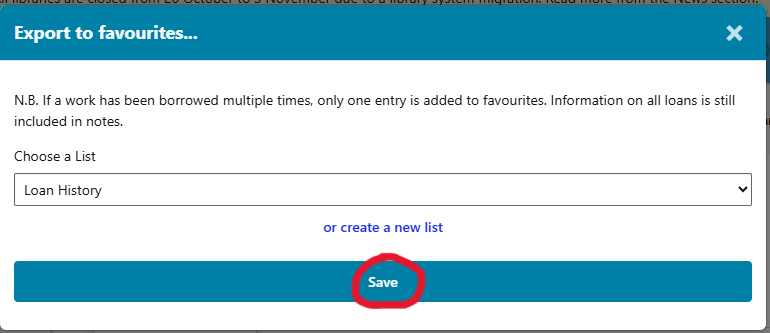
All loan history will be deleted on Monday evening 19 October. If you wish to keep a record of your loan history, you must save it as a saved items list no later than Monday, 19 October. Instructions can be found in the News section of the web library: Loan History resets on 19 October
Are loan periods longer?
Yes. There are no due dates between 13 October and 30 November. Starting 15 September, all borrowed and renewed Kuopio City Library items have longer loan periods. Please note that loan perioids do not extended automatically. Make sure to renew or return your loans well before library services close for the migration period. Interlibrary loans are not covered by the extended loan periods, so please remember to renew or return any interlibrary loans as well.
Will my library card continue to work?
Yes. Current library cards continue to work normally in the new library system. Please note that mobile library cards accessed through the web library or the app will not be available immediately after the system migration. These services will become available again once the new system is fully operational.
Will all fees be reset?
No. Any fees and borrowing restrictions incurred in the current system will be transferred to the new system as they are.
Do e-materials work during the system migration?
E-materials that require logging in with a Kuopio City Library library card and PIN code will not be available during the library system migration. These include services such as Cineast, PressReader, and Naxos. The national E-library service operates normally, as it uses strong authentication for login instead of library card credentials.
If you have any further questions that are not answered here, please contact your local library’s customer service. You can find contact information in the web library: Service Points and Opening Hours